Posts

Showing posts with the label Blogging Tips

How To Add a "Grab My Button" Code to Your Blog!
Image
Oh my... the bloggers have united again!  This week's poll winner is how to make a "grab my button" code for you blog! Here is the poll for this week! For this tutorial, we're going to use this awesome website: You can download this tutorial as a PDF by clicking this picture! Note: This tutorial is hosted on Google Drive.  To save it from there, just open the file and click File > Download to save onto your computer! As for next week's poll, I'm going to add another blogger-ish tutorial: how to see what's been pinned recently from your blog!  Don't forget to use the "Technology Tuesday Request" form at the top to request specific tutorials!  My list is always growing and I promise I'll get to everything eventually!
How to Claim Your Blog on Bloglovin'

Image
This is a post for all of the bloggers out there... how to claim your blog on Bloglovin! You can download this tutorial as a PDF by clicking this picture! Note: This tutorial is hosted on Google Drive.  To save it from there, just open the file and click File > Download to save onto your computer!

How to Follow a New Blog on Bloglovin!

Image
A few of you commented on last night's post that you wanted to know how to follow a blog on Bloglovin.'  Well... ask and you shall receive! You can download this tutorial as a PDF by clicking this picture! Note: This tutorial is hosted on Google Drive.  To save it from there, just open the file and click File > Download to save onto your computer! Expect a few more posts this week to help get you accustomed to Bloglovin!  Tomorrow, I'll do a write up on how to claim your blog on Bloglovin!  In the meantime, be sure to follow my blog with Bloglovin!

How to Add a Followers Button for Bloglovin’

Image
The more I read the more I think that the blogger followers box won't be disappearing just yet... but to be safe I backed up all the blogs I follow over at Bloglovin!  Since so many people have been switching over to Bloglovin, I figured I'd write up a tutorial on how to add a bloglovin' button to your blog.  Here it is! You can download this tutorial as a PDF by clicking this picture! Note: This tutorial is hosted on Google Drive.  To save it from there, just open the file and click File > Download to save onto your computer!

IMPORTANT!!! How to Continue Following Your Favorite Blogs by Switching to Bloglovin’

Image
So my post last week was horrible timing!  The morning that I wrote the post I read that Google Reader wouldn't be supported anymore.  Of course I didn't read the article until the following day, but I soon realized my post was quite possible a waste since the followers box probably won't be supported anymore... oops!  (I have heard mixed thoughts about this... some people are saying the followers box will be staying.  I guess we'll have to wait and see!  Read here for Google's official post, and here for some thoughts on the matter) Basically, for anyone who hasn't read all of the posts circulating everyone else's blogs... you MUST make this switch before July 1, 2013 or you could risk losing all of the blogs you follow! Well, with this in mind, I decided to extend the poll for another week and write up an emergency post: how to continue to follow you favorite blogs!  It's a little bit of a nuisance at first, but hopefully the change will be for the b...

How to Add a Followers Box to Your Blog

Image
A few months ago, Blogger changed the built-in followers box option to one that uses Google Plus - but a lot of people have asked me over time how to add the original followers box that you see on most blogs.  Well... it took quite a bit of research but here it is! Here's the poll! I looked though and attempted so many different tutorials online for this... and I found the best one at Southern Speakers . I hadn't seen this website before but I suggest you check it out because it has a lot of great items! You can download this tutorial as a PDF by clicking this picture! Note: This tutorial is hosted on Google Drive.  To save it from there, just open the file and click File > Download to save onto your computer! As for next week's tutorial, I'm going to add another Blogger option... how to make a "grab my button" code for your sidebar (similar to the one below)!

How to Add a Poll to Your Blog

Image
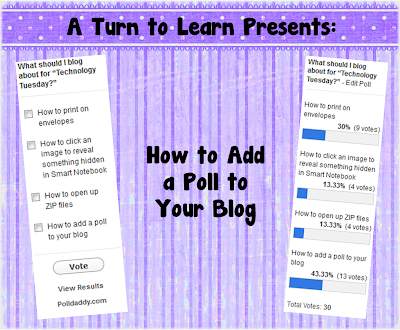
It looks like the bloggers took over the poll again... another blogging option won!  This week, most people voted for how to add a poll to your blog! I'm going to write about two different ways to do this:  one right in blogger (a little easier, but more unreliable) and my preferred method: Poll Daddy .  Now... onto the tutorial! You can download this tutorial as a PDF by clicking this picture! Note: This tutorial is hosted on Google Drive.  To save it from there, just open the file and click File > Download to save onto your computer! Next week, I'll add another blogger tutorial: how to add a followers box to your blog.  This really confused me when I first made my blog... and blogger has since changed their options so this might answer some of your questions about how to add it!

How to Add a Facebook "Like" Button to Your Blog's Side Bar

Image
This week's poll was really exciting... the bloggers united to vote for adding a facebook like button to the side bar of the blog!  You can check out how mine looks on the side of my blog under where it says "Social Networks!"  Check out the poll!  For the tutorial, you'll this link: https://developers.facebook.com/docs/reference/plugins/like-box/ You can download this tutorial as a PDF by clicking this picture! Note: This tutorial is hosted on Google Drive.  To save it from there, just open the file and click File > Download to save onto your computer! For next week's poll, I'll add another blogger tutorial - how to add a poll to your blog! Be sure to vote!

How to Host a Linky Party!

Image
This Tuesday, I'll be doing another tutorial for bloggers... how to host a linky party! For those of you keeping track, here is the poll! This tutorial uses the following website.  Click the link below to head over there and follow along with the steps!  You can download this tutorial as a PDF by clicking this picture! Note: This tutorial is hosted on Google Docs.  To save it from there, just open the file and click File > Download to save onto your computer! As for next week's poll, I'm going to add how to find and install cute fonts!

How to Add a Pin It Button to Your Blog!

Image
Finally... a week where I'm not battling the clock in an attempt to post the Technology Tuesday tutorial before midnight! I really didn't have much of a choice, though, since today is my wedding anniversary (one year married, nine years together!) and I don't think my husband would have appreciated me rushing out of our dinner reservations to come home and write up this post!  I do love my blog, but I love my hubby more! :) This week, the bloggers united to vote for how to add a pin it button to your blog! I initially found this tutorial at Mayura4Ever , which has some amazing tutorials for bloggers.  I kept the same steps, I just added pictures to make it nice and easy to follow! I'm going to start uploading the tutorials to TPT since a lot of people have asked how they could download them.  Click the link below to download this tutorial as a PDF!   I have to say, I was really surprised by this one coming up first in the poll... I have been so hesitant about putt...